
1. Install Signal
Download it only from official sources: signal.org, Play Store or App Store. Avoid modified third-party versions and turn on automatic updates.
2. Protect access with a PIN and screen lock
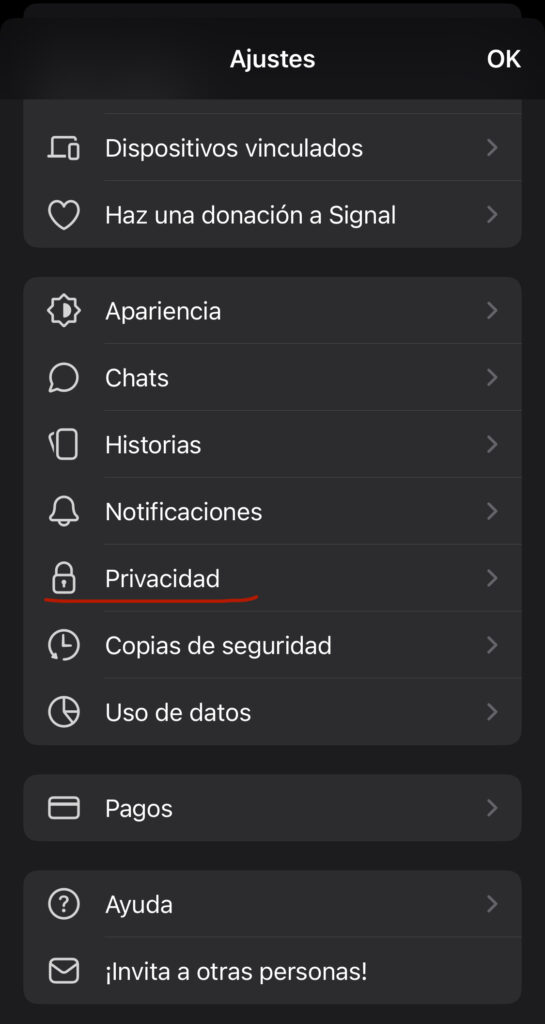
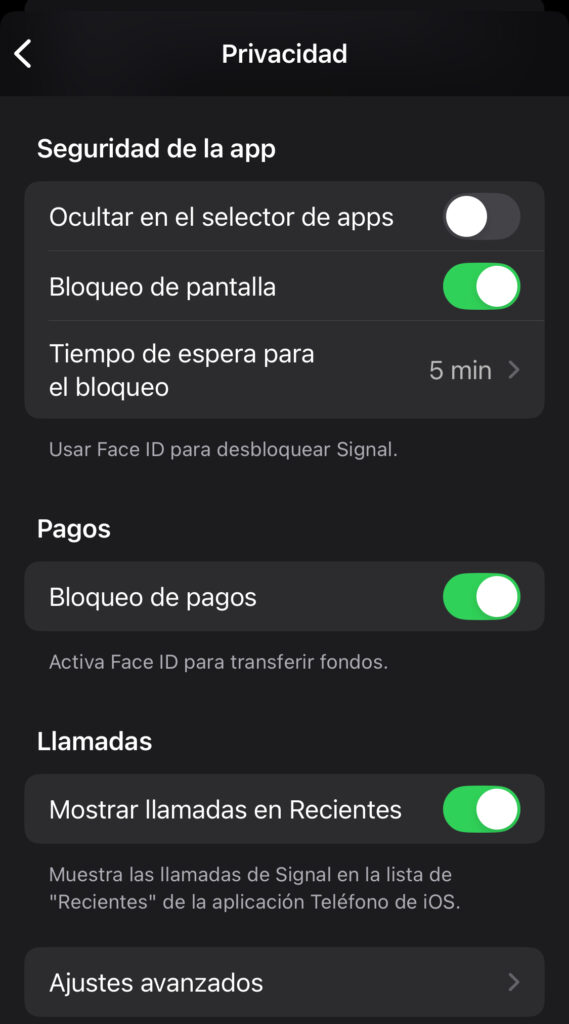
Under Settings → Privacy → Screen lock, turn on biometric or PIN protection. Also create a separate Signal PIN to recover your profile if you reinstall.
3. Hide your presence and interactions
Go to Settings → Privacy to turn off read receipts, typing indicators and group invite links. Turn on "Always relay calls" to protect your IP address.
4. Disappearing messages
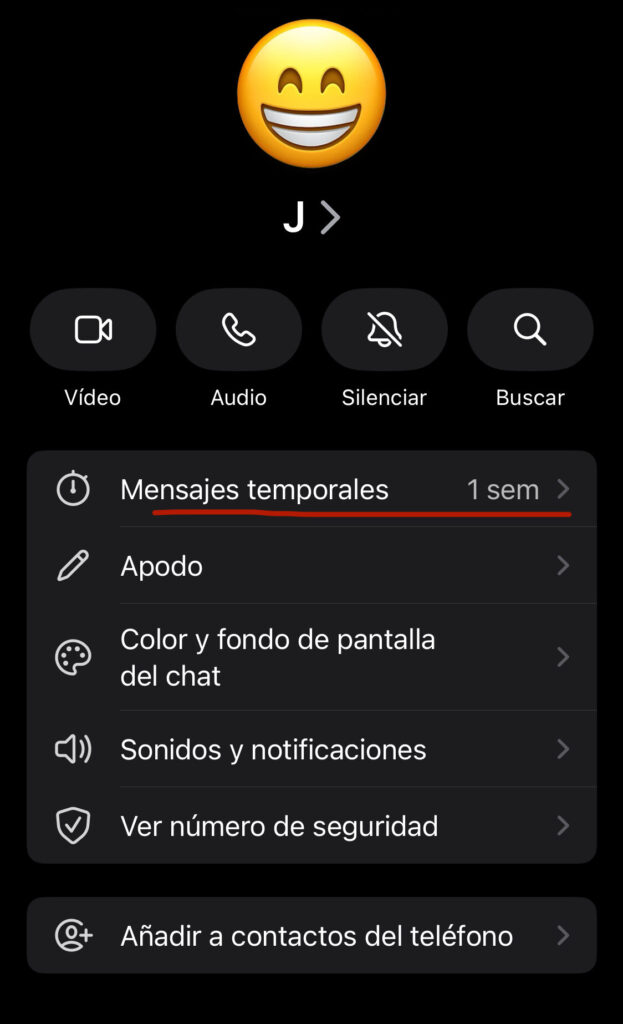
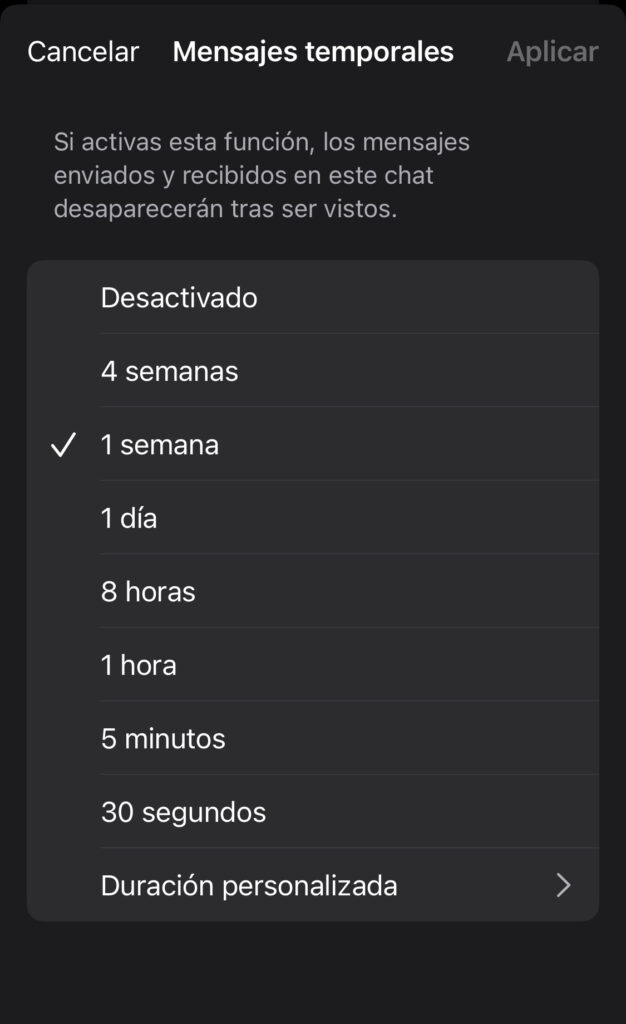
Inside a chat, set automatic message deletion (from 5 seconds to more than a week). Suggested: 24 hours for sensitive conversations, 1 week for everyday use.
5. Screen and screenshot protection
Turn on screenshot blocking under Settings → Privacy → Screen security.
6. Verifying contacts' identity
Access the unique safety number (code or QR) inside each chat to verify your contacts' identity through a trusted channel.
7. Secure backups
Create encrypted local backups (Android only). Keep the 30-digit backup key somewhere safe.
8. Notification control
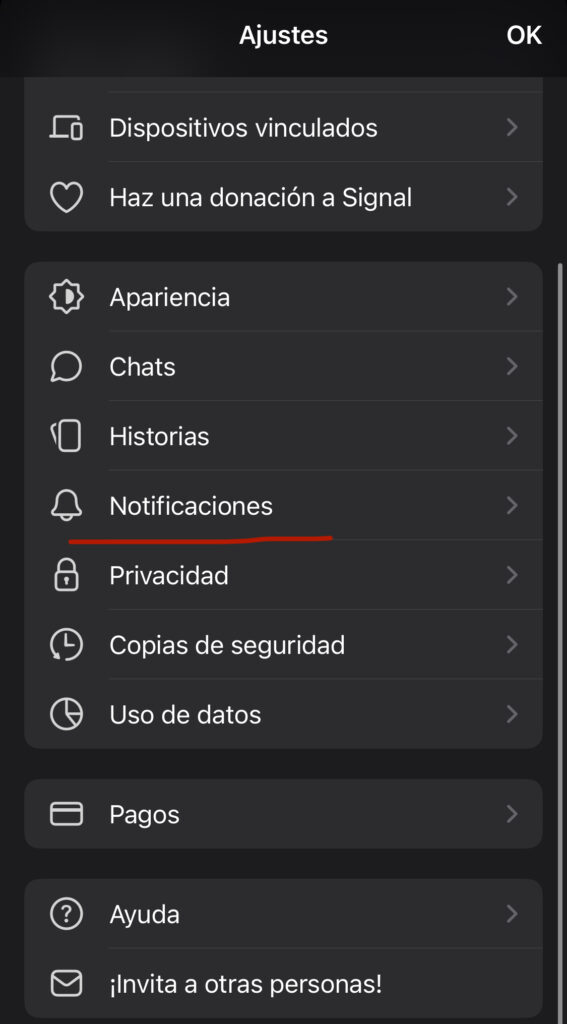
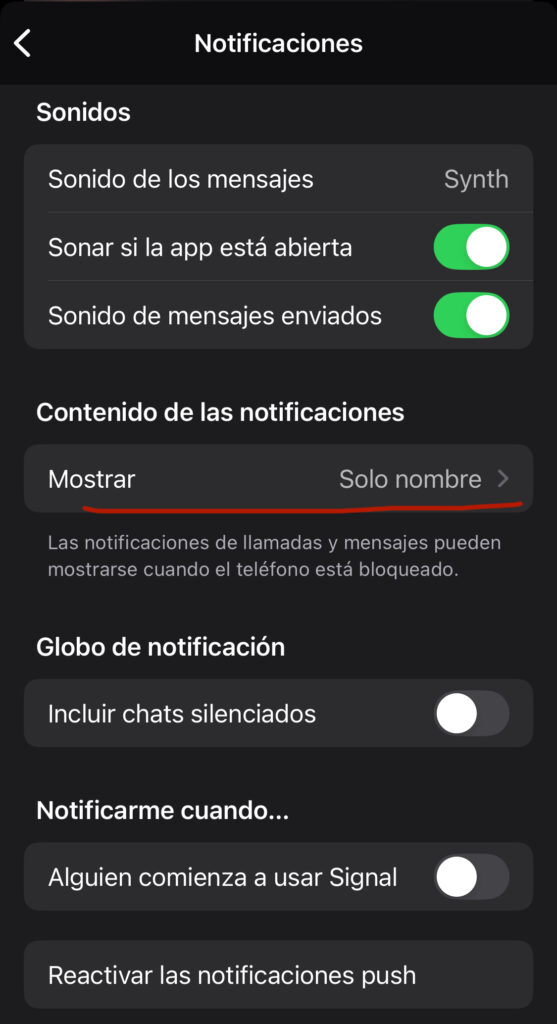
Set up Settings → Notifications to hide message content and sender names on the lock screen.
9. Group security
Use neutral group names, restrict adding members to admins only, and periodically audit who's in the group.
10. Syncing with Signal Desktop
Link devices from Settings → Linked devices, scanning the QR code. Unlink if you lose the device or no longer use it.
11. If you lose or change your phone
Reinstall on your new device with the same number, and restore from your backup key if you have one saved.
Quick checklist
- PIN turned on
- Screen lock enabled
- Disappearing messages configured
- Screenshot protection active
- Calls with protected IP
- Encrypted backups (Android)
- Read receipts and typing indicators off
- Group links controlled
- Linked devices reviewed