
Why Jitsi?
Jitsi Meet is a free, open-source video calling tool, part of the free software ecosystem. It prioritizes control, privacy and technological sovereignty over your communications.
- No account needed
- Unlimited meeting length
- Access from the browser, nothing to install
- Open and transparent source code
- Option to run your own server
1. Create your first room
On mobile you can download the Jitsi Meet app from Google Play (Android) or the App Store (iOS). On desktop:
- Open your browser (Firefox, Brave, etc.)
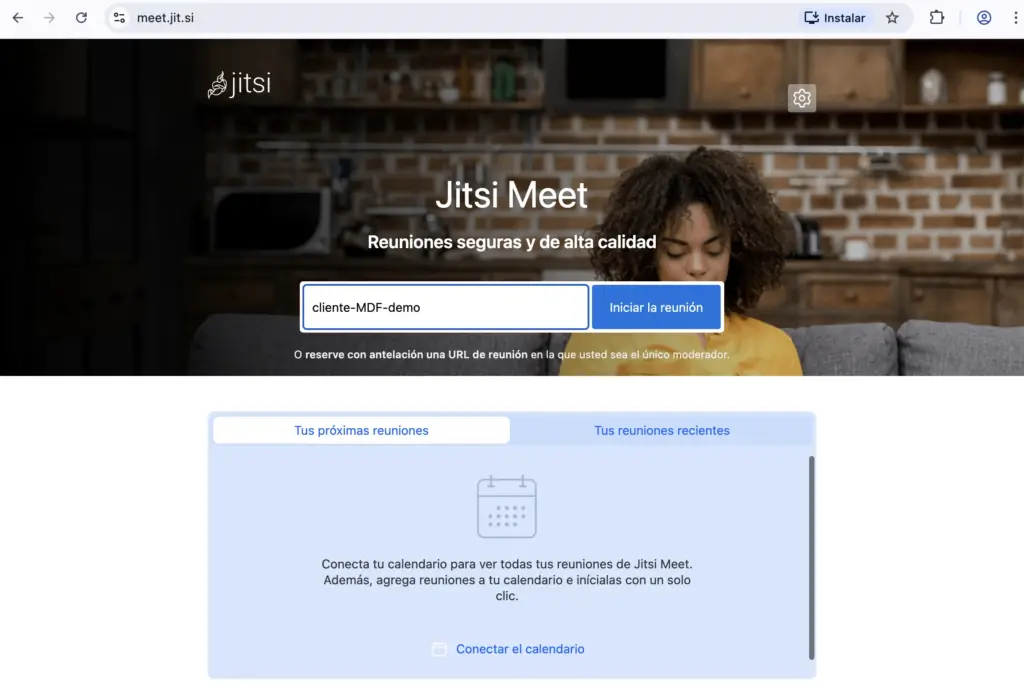
- Go to meet.jit.si
- Type a name for your room (e.g. team-meeting-demo)
- Click "Start meeting"
The room is created automatically if it doesn't exist yet. It's temporary: it's deleted once the last person leaves.
2. Browser permissions
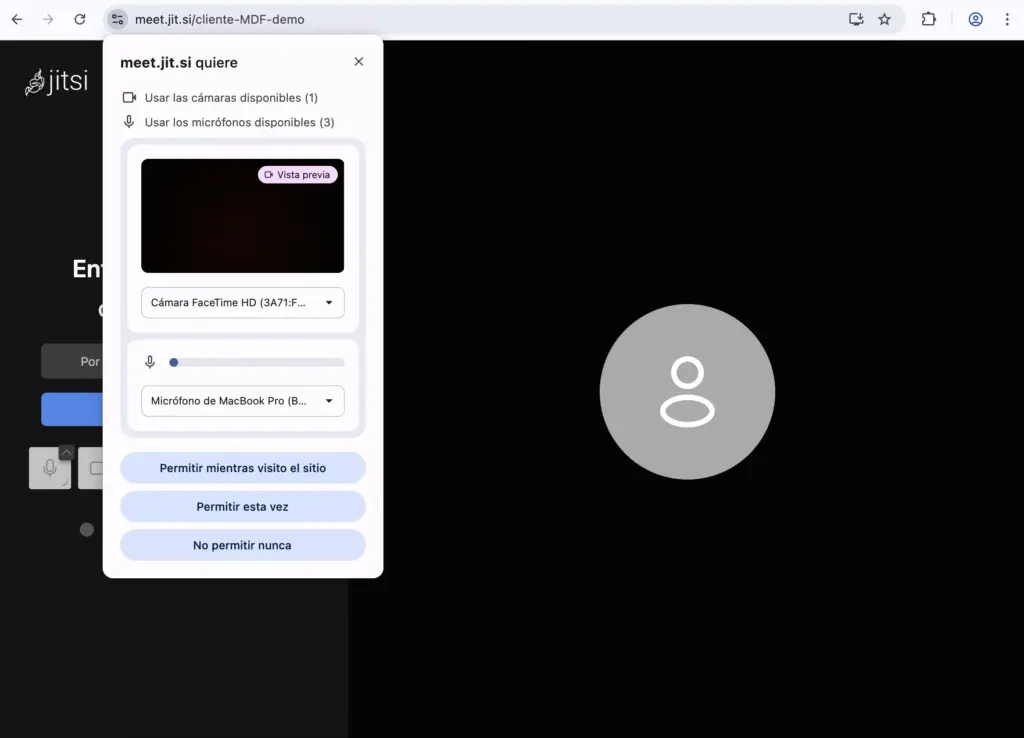
Your browser will ask for access to your microphone and camera. For safety, we recommend choosing "Allow this time" instead of granting permanent access: that way it's only granted for that one session.
3. Private rooms without an account
To have control as the room's host:
- Sign in with Google or GitHub
- Open the room's security options
- Turn on a password
- Turn on the waiting room (lobby) to manually approve each participant
4. Inviting others
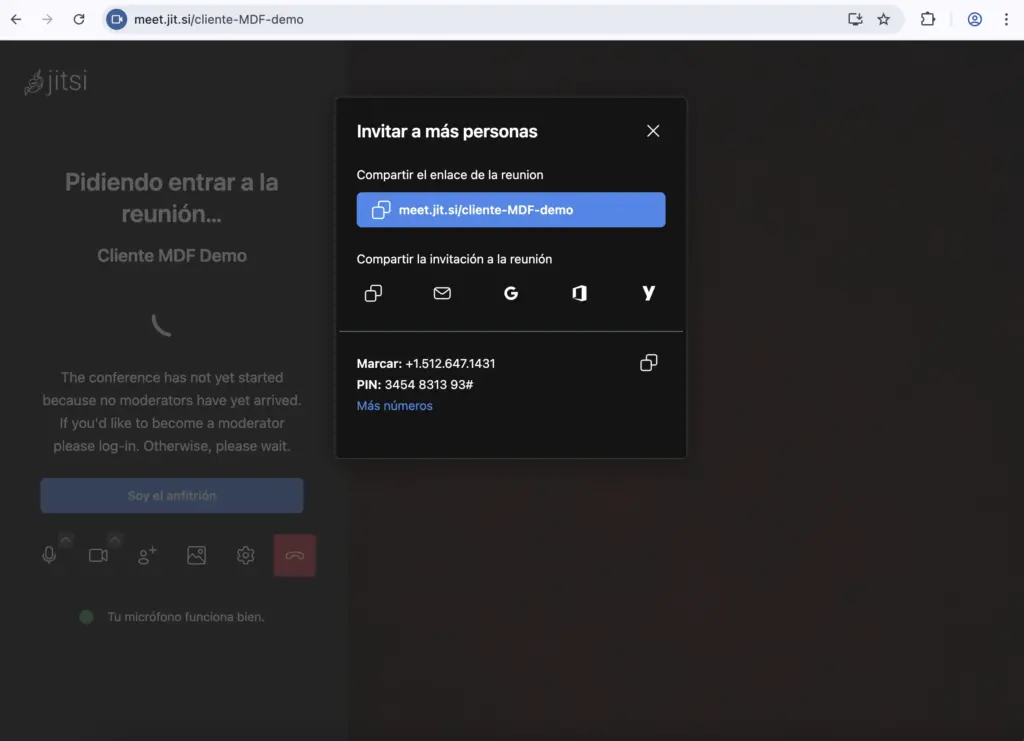
Share the meeting link via Signal, email, or whatever channel you prefer. Whoever receives it doesn't need an account, just to open the link.
Participant capacity
- Public server (meet.jit.si): works well for 30 to 50 people
- Your own server: scales higher depending on your infrastructure
Advanced features
- The host can mute participants (but not turn their microphone back on)
- Private and group chat
- Quick polls
- Share your screen, a window, or a browser tab
- Virtual backgrounds (uses more CPU)
- Stats on who has spoken the most