
Not all messaging apps protect privacy the same way. For sensitive communications we still recommend Signal, free software with end-to-end encryption and no metadata collection. If you use WhatsApp, turning on all its security features is essential.
1. Update the app and review access
Only download or update WhatsApp from Play Store or App Store. Under Settings → Linked devices, review and sign out of any device you don't recognize. Avoid leaving sessions open on shared computers.
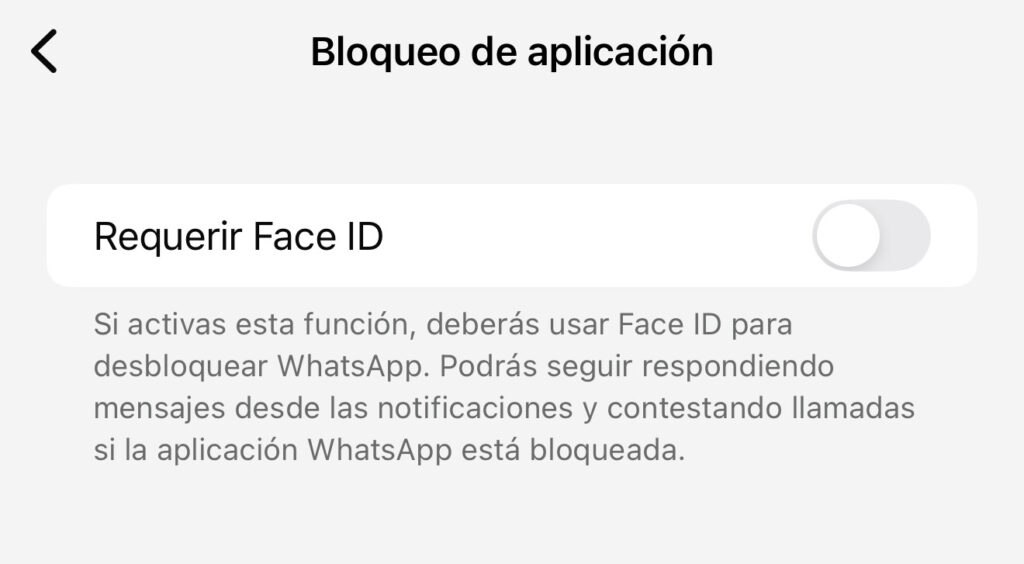
2. Turn on biometric lock
Go to Settings → Privacy → Screen lock. Choose fingerprint (Android) or Face ID / Touch ID (iPhone), and select "Immediately" for extra security.
3. Two-step verification
Under Settings → Account → Two-step verification, create a 6-digit PIN different from your device's and add a recovery email. This PIN protects your account even if someone gains access to your SIM.
4. Encrypt your backups
Settings → Chats → Backup → End-to-end encrypted backup. Turn it on and keep the encryption key safe, or turn off cloud backup entirely for extra privacy.
5. Set up disappearing messages
Settings → Privacy → Default message timer. Choose 24 hours, 7 days or 90 days; you can turn it on per individual or group chat. Use "view once" for sensitive photos or videos.
6. Turn off automatic saving to your gallery
Settings → Chats → Save to Camera Roll. Turn it off so photos and videos you receive don't get saved automatically to your phone's gallery, where any app with gallery access can reach them.
7. Advanced chat privacy
This feature limits how others can share your content outside the app: no one can automatically save media, export the full chat, or use Meta AI for replies, summaries, or image generation within that conversation. It doesn't affect end-to-end encryption, and must be turned on manually per chat.
For individual chats
- Open the chat
- Tap the contact's name
- Tap "Advanced chat privacy"
- Turn it on or off
For groups
- Open the group chat
- Tap the group's name
- Tap "Group permissions" → "Edit group settings"
- Go back to group info → "Advanced chat privacy"
- Turn it on or off